The 2026 Checklist for Buying a Residential RDP: vGPU, 0 Fraud Score, and ISP Purity
A good residential RDP purchase starts with a verifiable specification: the desktop resources, graphics capabilities, outbound network, operating-system support, and commercial terms your work requires. Labels such as vGPU, zero fraud score, and pure ISP become useful only when the provider explains exactly what they mean for your order.
This checklist is designed for buyers comparing budget and premium plans in 2026. It separates genuine requirements from attractive but incomplete claims and gives you a practical acceptance process. The goal is the least expensive suitable workspace—not the largest specification or the broadest guarantee on a sales page.
1. Define the authorized workload before selecting a tier
Write down the applications, number of concurrent tasks, working-file size, required market or network context, and permitted access method. Include the application’s current operating-system and graphics requirements. A desktop for occasional reporting has different needs from one running a demanding visualization or an Android emulator.
Confirm that the intended platform or client permits hosted access and any automation involved. No residential plan changes identity requirements, authorizes a restricted account, or guarantees freedom from security checks. Treat account permissions as a prerequisite rather than a benefit supposedly created by the IP address.
2. Turn GPU support into an application-specific requirement
Ask whether graphics access uses a supported virtual-GPU profile, another sharing method, or device assignment. Request the usable graphics allocation, supported guest driver, licensing arrangement, and application-facing API capabilities. A GPU model name alone does not establish the features available to the guest.
For OpenGL, confirm the version and extensions required by the application. For Direct3D, check the necessary feature levels and actual driver behavior. Separately ask whether the remote-display stack can use hardware encoding. NVIDIA’s vGPU documentation illustrates why platform, driver, profile, and licensing dependencies matter; it does not establish the GPU technology used by ClovRDP.
For Android emulators, also confirm nested CPU virtualization and vendor support for the hosted environment. Graphics acceleration and CPU virtualization are separate requirements. Verify the application inside the actual RDP session rather than accepting a screenshot from a different console context.
3. Replace ISP purity with documented network properties
Ask for the outbound country and available ISP, whether the address is shared or exclusive, its expected persistence, and what happens during a routing failure. Determine which traffic and IP versions use the residential exit. The desktop’s physical host, inbound login endpoint, and outbound residential address may be different.
A familiar broadband brand is not proof of a specific household allocation, authorized sourcing, or permanent application acceptance. Ask how the connection is supplied and whether third-party exit use is appropriately authorized. An undefined claim of purity should not replace those questions.
4. Define what a zero-score claim actually covers
Record the scoring vendor, product, relevant field, delivery timestamp, and promised result. Distinguish an IP-only assessment from a transaction or account decision. IPQS, Scamalytics, and MaxMind expose different information. MaxMind’s overall minFraud transaction risk score does not reach literal zero.
Ask what happens when a delivery-time assessment differs from the promised criterion. Do not convert one favorable lookup into a promise that every platform will approve the IP forever. Reputation information changes, and identity or behavior checks may be independent of the address.
5. Verify Windows edition, rights, compatibility, and updates
Windows 10 Pro can provide a familiar environment for compatible desktop tools. Confirm that it is the edition being delivered, whether installation is included, and what licensing and remote-access arrangement applies. Do not assume a single Windows desktop is a licensed multi-user session host.
Standard Windows 10 support ended October 14, 2025. For a 2026 purchase, verify applicable ESU enrollment or choose a supported OS. Activation, application compatibility, hosting rights, and update entitlement are separate checks.
6. Compare usable performance and the complete price
Size CPU, RAM, and storage around the actual task and expected growth. Determine where the desktop is hosted relative to the operator, not only where residential traffic exits. Compare application completion time separately from interactive RDP responsiveness. A premium IP does not automatically fix memory pressure or a slow local network.
Request the first invoice and renewal amount for the exact configuration. Identify installation, optional GPU, backup, location, and other required charges where applicable. Do not assume that every possible extra is charged, but do not omit a required extra from the comparison. Document provisioning expectations and any stock or verification conditions.
7. Confirm access control, backup, and recovery
Ask about the approved remote-access path, source restrictions, MFA availability, provider administrative access, and emergency console. Keep Network Level Authentication and certificate checks enabled. Establish independent backups and access to recovery information before making security changes.
For encryption, confirm the supported boot and key-recovery process before enabling BitLocker. For unattended workloads, verify restart and monitoring behavior rather than assuming an open desktop remains available forever. Request an actual service-level commitment if uptime is a requirement; the word premium is not one.
8. Read the refund policy before planning acceptance testing
ClovRDP’s policy effective October 2, 2026 excludes Cheap Residential from refunds and replacements. Eligible requests must be made within 12 hours of delivery and are excluded once usage exceeds 100 MB. Provided Windows installation charges are non-refundable, and issue review applies.
The policy separately describes a Residential/Premium delivery-time VPN/proxy-detection provision. Confirm how it interacts with the usage and installation exclusions and whether a particular advertised score condition is covered. Large downloads, graphics projects, and emulator installations can exceed a small acceptance allowance; arrange that testing before purchase instead of assuming an unrestricted money-back trial.
A practical acceptance matrix
| Requirement | Evidence to obtain | Acceptance check |
|---|---|---|
| Desktop resources | Ordered CPU, RAM, and storage specification | Inspect the delivered allocation and agreed test workload |
| Graphics capability | Assignment method, driver, APIs, and usable allocation | Run the permitted application inside the intended RDP session |
| Residential route | Country, ISP, sharing, persistence, and traffic coverage | Record the actual outbound address and relevant network observations |
| Reputation criterion | Named vendor, field, timestamp, and resolution terms | Compare the same assessment under the agreed conditions |
| Windows readiness | Edition, compatibility, rights, and update coverage | Verify the supplied OS and documented maintenance arrangement |
| Recovery | Console, backups, contacts, and restoration procedure | Confirm access without relying on the guest’s only login |
| Commercial terms | Complete price, renewal, delivery, and refund conditions | Keep a dated order record and agreed acceptance procedure |
Questions to send before checkout
- Does this exact plan support my named application and required graphics or virtualization features?
- Which country and ISP are available, and is the outbound address shared or exclusive?
- What address changes and routing-failure behavior should I expect?
- Which vendor and field define any delivery-time reputation promise?
- What Windows installation, licensing, and security-update arrangement is included?
- What are the complete first-period and renewal charges?
- Which recovery and backup services are available?
- What acceptance testing is permitted under the actual refund conditions?
Applying the checklist to ClovRDP’s range
ClovRDP offers a budget shared-IP range, Residential RDP, and Premium Residential choices. Its Windows page advertises optional GPU capability for compatible workloads. Compare the exact configurations against this checklist rather than assuming the same GPU, IP arrangement, or refund eligibility across the entire range.
For a simpler budget decision, read our budget-versus-premium comparison. A documented fit is more valuable than an unsupported claim of industry leadership, guaranteed zero risk, or the lowest price everywhere.
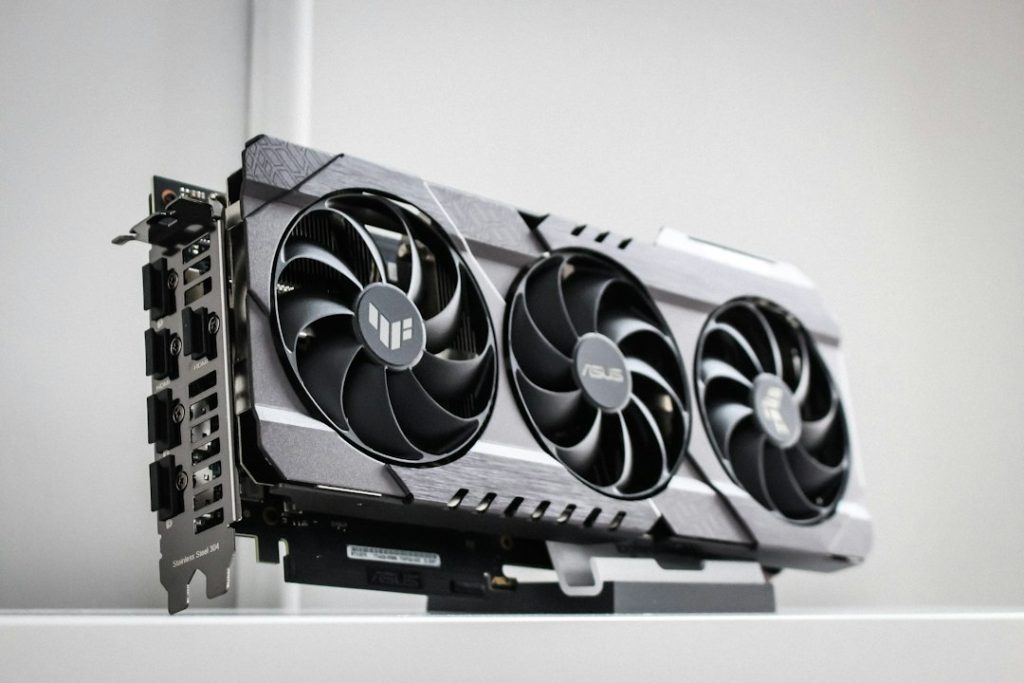
Illustrative graphics-card photograph by Thomas Foster on Unsplash; not a specification of ClovRDP’s supplied hardware.
Choose the configuration that passes your checklist. Ask ClovRDP for an itemized specification and quote, confirm the acceptance terms, and order the workspace that matches your authorized workload.